



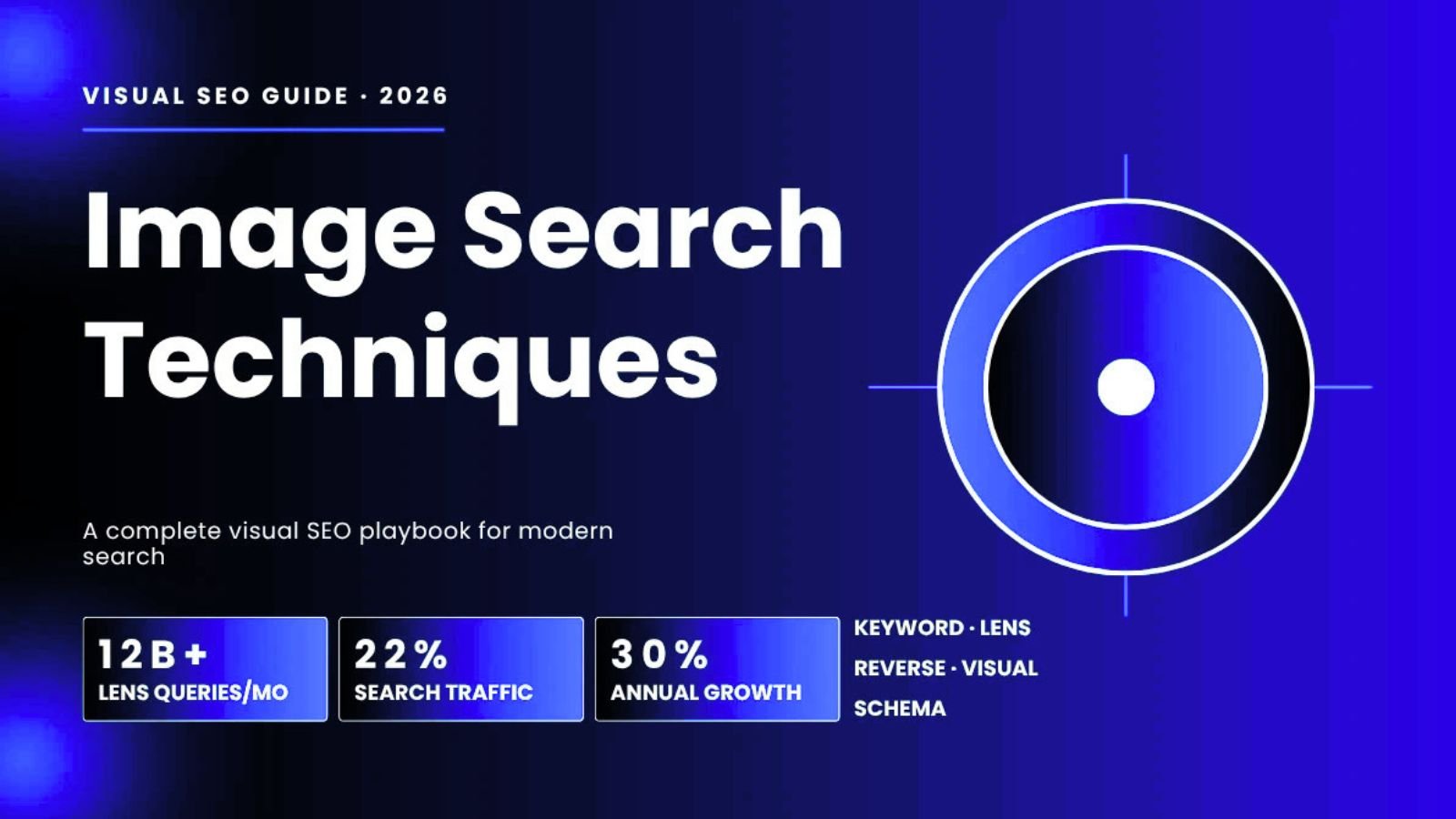
Typing is starting to feel optional. More and more people just point a camera, snap a screenshot, or drop a photo into a search box and let the engine figure out the rest. That shift has a name — visual search — and it now touches a meaningful slice of everything that happens on Google.
Google Lens alone is handling roughly 20 billion visual searches a month, up from about 12 billion in 2023 — a jump of nearly 70% in a little over a year. Image-driven queries now make up somewhere around a quarter of all Google searches, depending on whose estimate you trust. Whatever the exact number, the direction is the same everywhere you look: people increasingly search with what they see instead of what they can describe.
For anyone publishing content, running an online store, or managing a local business, that’s not a footnote — it’s a second search engine sitting on top of the one you’re already optimizing for. This guide breaks down the different image search techniques in use today, how search engines actually process a photo, and what it takes to get your visuals showing up where people are looking.
Why Visual Search Is Growing So Fast
There’s a simple reason a photo often beats a paragraph: it skips translation. Instead of typing “leafy houseplant with purple-veined leaves and a reddish underside,” you just point your phone at it. Instead of describing a chair you saw in a coffee shop, you photograph it and ask where to buy one.
ALso Read: TechTrendery.com: A Fresh Take on the USA’s Growing Technology Hub
A few data points worth knowing if you’re building a strategy around this:
- Google Lens usage has grown roughly sixfold since 2021, from around 3 billion monthly searches to 20+ billion today.
- Younger users, particularly the 18–24 age bracket, are the heaviest adopters of camera-based search.
- Visual search is reshaping shopping behavior specifically — a majority of shoppers say they prefer snapping a photo over typing a product description when they’re trying to find something they’ve seen but can’t name.
- Image search still accounts for a large, durable share of overall Google query volume, separate from and in addition to Lens.
None of this replaces text search. It sits alongside it, and increasingly it’s the entry point for product discovery, identification, and research tasks that used to require several rounds of guessing at the right keywords.
The Core Image Search Techniques, Explained
“Image search” isn’t one thing. Different tools and use cases rely on genuinely different underlying methods. Knowing which is which helps you pick the right tool for a task — and understand what you’re actually optimizing for when you improve your own images.
Keyword-driven image search. The familiar version: you type words, the engine matches them against alt attributes, filenames, captions, and the text surrounding an image, then returns results ranked by relevance and authority. This is still the backbone of Google Images and is where most on-page image SEO work pays off.
Reverse image search. Instead of describing an image, you upload one and ask “where else does this exist, and where did it come from?” This is the technique behind finding stolen images, verifying a source, or identifying an unlabeled product or landmark. Under the hood, the engine converts the image into a set of numerical descriptors — an embedding — that captures its shapes, colors, and textures, then compares that against a massive index using similarity scoring to surface visual matches.
Similarity or “look-alike” search. Related to reverse search but not the same thing. Rather than hunting for the exact same file, similarity search finds images that share a visual mood — similar color palette, composition, or style — even if the actual content is completely different. This is what powers Pinterest’s visual discovery and a lot of Google Lens’s “shop the look” style results.
Object-level search. Modern visual search doesn’t have to treat a photo as one indivisible thing. Bing’s visual search and Google Lens both let you isolate a single object inside a larger image — one lamp in a photo of a living room, say — and search for just that item. This is a big deal for shopping and price comparison.
Face matching. Some engines specialize in identifying and comparing faces across large image sets. Yandex is generally regarded as unusually strong here relative to Google. Used for identity verification, fraud checks, and journalistic fact-checking, among other things.
Color and palette search. Sometimes the query isn’t “find this thing,” it’s “find this shade.” Both Google and specialist tools like Adobe Stock let you filter or search by dominant color, which matters a lot for branding and interior or graphic design work.
Pattern and texture search. A more niche capability aimed at recurring visual motifs — think fabric prints, wallpaper designs, or repeating surface patterns — useful mainly to people working in textiles, materials, or decorative design.
Metadata-based lookup. Every photo can carry invisible baggage: EXIF data (camera model, exposure settings), IPTC fields (copyright and creator info), and sometimes GPS coordinates. Searching or filtering on this hidden data matters for photo archiving, licensing enforcement, and forensic work.
Context-aware results. The same image can rank differently for two different people. Location, device, browsing history, and even time of day all quietly influence what a visual search surfaces — which is part of why “ranking” for images is less absolute than people assume.
Multimodal search. The newest and most capable category: combining an image with a typed or spoken follow-up in a single conversational query — “find me hiking boots like this one, but waterproof.” Google’s Gemini-powered search and OpenAI’s vision tools both support this kind of back-and-forth now, and it’s quickly becoming a normal way to search rather than a novelty.
How Search Engines Actually “Look” at an Image
It helps to understand the pipeline, because it explains why some optimization tactics work and others don’t.
Step one: raw visual analysis. Computer vision models — largely convolutional networks and transformer-based architectures — scan the pixels themselves. They detect objects, read any embedded text via OCR, identify faces, and register color and composition.
Step two: turning pixels into math. Everything the vision model extracts gets compressed into a high-dimensional vector — an embedding. Google’s multimodal models process these alongside text embeddings from the surrounding page, which is how the system starts connecting “this photo” to “these words.”
Step three: context does the heavy lifting. The vision model tells the algorithm what’s in the picture. Context tells it what the picture means and who it should be shown to. That context comes from page topic, surrounding paragraphs, headings, alt text, filenames, captions, and structured data. Most sites over-invest in one signal (usually alt text) and neglect the rest — which caps how far any single optimization can take you.
Where Your Images Can Actually Show Up
Google doesn’t have one image search surface — it has several, and they don’t all reward the same things.
| Surface | What it rewards |
|---|---|
| Google Images tab | Alt text quality, page authority, topical relevance |
| Image results in regular search (the “image pack”) | Relevance plus larger, higher-resolution assets |
| AI-generated overviews | Structured data, especially ImageObject schema |
| Google Lens | Pure visual similarity and object clarity, largely independent of text |
| Google Discover (mobile feed) | Large, high-quality images and strong engagement signals |
A single image, properly optimized, can realistically appear across several of these at once. Skipping any one signal — schema, alt text, sizing, or surrounding context — tends to quietly cap visibility on more than one surface at a time.
Practical Optimization: What Actually Moves the Needle
Alt text that does its job
Alt text serves two audiences: assistive technology for people who can’t see the image, and crawlers that can’t “see” it either. Good alt text is specific rather than generic — “hand-stitched brown leather messenger bag on a wooden table” beats “bag” every time. Keep it concise (most screen readers truncate well before 150 characters), skip filler like “image of,” and only include a keyword where it naturally belongs. Purely decorative images (dividers, spacers) should use an empty alt attribute so they’re skipped entirely rather than diluting your signals.
Filenames that mean something
IMG_2044.jpg tells a search engine nothing. brown-leather-messenger-bag.jpg tells it plenty. Use hyphens rather than underscores — Google reads hyphens as word breaks — and put your most important descriptive terms near the front of the filename.
Getting the format and size right
WebP has become the practical default for most sites, typically running 25–35% smaller than an equivalent JPEG with no visible quality loss. AVIF pushes compression further still and is worth using for hero images where every kilobyte of load time matters, provided you keep a fallback for older browsers. For anything you want eligible for prominent placements like Discover, aim for a wide hero image — 1200px or more — since several of Google’s larger surfaces have effective minimum-width thresholds.
Structured data (ImageObject, Article, Product schema)
Structured data removes guesswork. Adding ImageObject JSON-LD tells search engines exactly what an image is, who owns it, and how it should be treated — and it’s increasingly a prerequisite for showing up in AI-generated overview thumbnails. Ecommerce pages benefit from wrapping product photography in Product schema with an image array; blog and article pages benefit from including the hero image inside Article schema.
Context and placement
The paragraph immediately before and after an image genuinely carries more weight than most people assume, so don’t just drop a hero image at the top of a page and move on — place supporting images near the text that actually explains them. A relevant heading directly above an image reinforces that connection further, and a well-written caption does real work too, since captions tend to get read at a much higher rate than surrounding body text.
Don’t forget the technical basics
Set explicit width and height attributes to avoid layout shift, lazy-load anything below the fold, serve responsive srcset variants for different screen sizes, and submit an image sitemap through Search Console so nothing gets missed — particularly images loaded dynamically via JavaScript, which crawlers can otherwise skip entirely.
Tool-by-Tool: Which Engine Does What Best
| Tool | Strongest use case | Notable trait |
|---|---|---|
| Google Images | Broad, general-purpose search | Largest overall index |
| Google Lens | Mobile and object-level search | Deep shopping-graph integration |
| TinEye | Copyright and exact-match tracking | Shows chronological first-appearance |
| Yandex Images | Facial recognition | Often outperforms Google here specifically |
| Bing Visual Search | Product discovery | Lets you crop and search a single object |
| Pinterest Lens | Style and aesthetic inspiration | Clusters by visual mood, not literal content |
A useful habit: run the same image through several of these when you’re doing competitive research. The differences in what surfaces — and what text each engine treats as relevant — tell you a lot about how each algorithm actually reads a picture.
Reverse Image Search as a Growth Tactic
Reverse search isn’t just defensive. Two underused applications:
Finding uncredited use of your visuals. Upload an original chart, infographic, or product photo to Google Images and see who’s using it elsewhere. A polite outreach note asking for a credit and backlink is a genuinely high-yield, low-effort link-building tactic — original data visualizations get reused constantly, and most sites never bother collecting the attribution they’re owed.
Reverse-engineering a competitor’s visual strategy. Run a competitor’s hero image through reverse search and you’ll quickly see everywhere else it (or close variants) appears, what schema and surrounding copy those pages use, and who’s linking to them — a fast way to understand how a rival is approaching visual content without guessing.
Industry-Specific Notes
Ecommerce. Product images are conversion infrastructure, not decoration. Multiple angles per product, genuine zoom-quality resolution, and a unique photo per color or size variant all matter — reusing one image across several product pages splits ranking signals across all of them rather than reinforcing any single page. Product schema with a full image array feeds directly into Google’s shopping surfaces.
Local business. Fresh, geotagged photos uploaded regularly to a Google Business Profile — interior, exterior, product, team — reinforce local relevance and show up in Maps and the local pack. Encouraging (and responding to) customer-submitted photos adds another layer of signal that’s easy to neglect.
Publishers and blogs. Custom photography and original graphics consistently outperform stock imagery on authority signals. Infographics remain one of the more reliably link-worthy content formats when they carry genuinely original data. Annotated screenshots — arrows, highlights, callouts — measurably improve engagement over a plain screenshot.
A Note on AI-Generated Images
AI-generated visuals aren’t penalized by default, but generic ones tend to underperform for a specific reason: they lack contextual specificity, often carry telltale visual artifacts, have no real connection to entities in a knowledge graph, and typically arrive with none of the metadata a genuine photograph carries. The fix isn’t avoiding AI imagery altogether — it’s treating the output as a starting point rather than a finished asset: edit it, combine it with real photography or original data, and add your own metadata rather than publishing it untouched.
Quick Pre-Publish Checklist
- Filename is descriptive and uses hyphens
- Format is WebP (or AVIF) with a fallback
- Alt text is specific, concise, and not keyword-stuffed
- Width and height are set explicitly in the HTML
- Image sits near the text that actually explains it, under a relevant heading
- ImageObject (or Product/Article) schema is in place
- Image is included in an image sitemap
- Nothing important is blocked by robots.txt
Frequently Asked Questions
How does reverse image search actually work?
It converts the visual features of an image — shapes, colors, textures — into a numerical embedding, then compares that against a huge index of other embeddings to find exact or near-exact matches.
What’s the real difference between reverse image search and visual similarity search?
Reverse search looks for the same image (or very close copies) elsewhere on the web. Similarity search looks for different images that share a visual style or mood. One finds duplicates; the other finds inspiration.
Does image SEO actually move the needle, or is it a minor channel?
For sites with strong visual content — ecommerce, recipes, real estate, tutorials, design — it’s often one of the larger organic growth levers available, not a side project. Image-driven search represents a meaningful and growing share of overall query volume.
What image format should I be using in 2026?
WebP as the default, AVIF for hero images where compression matters most, with a JPEG fallback for older browsers.
How long does it typically take for a new image to start ranking?
On established, high-authority sites, sometimes within days. On newer or smaller sites, a few weeks is more typical. A submitted image sitemap and solid internal linking tend to speed things up.
Do AI-generated images rank in Google Images?
Yes, but generic, unedited ones tend to underperform. Custom-edited AI visuals with genuine originality and added metadata perform meaningfully better than an untouched AI output.
